
 Otel Yönetimi ve Teknoloji2 min readIn Turkish
Horecas Wellness · Spa and massage booking software
Schedule spa and massage bookings without clashes
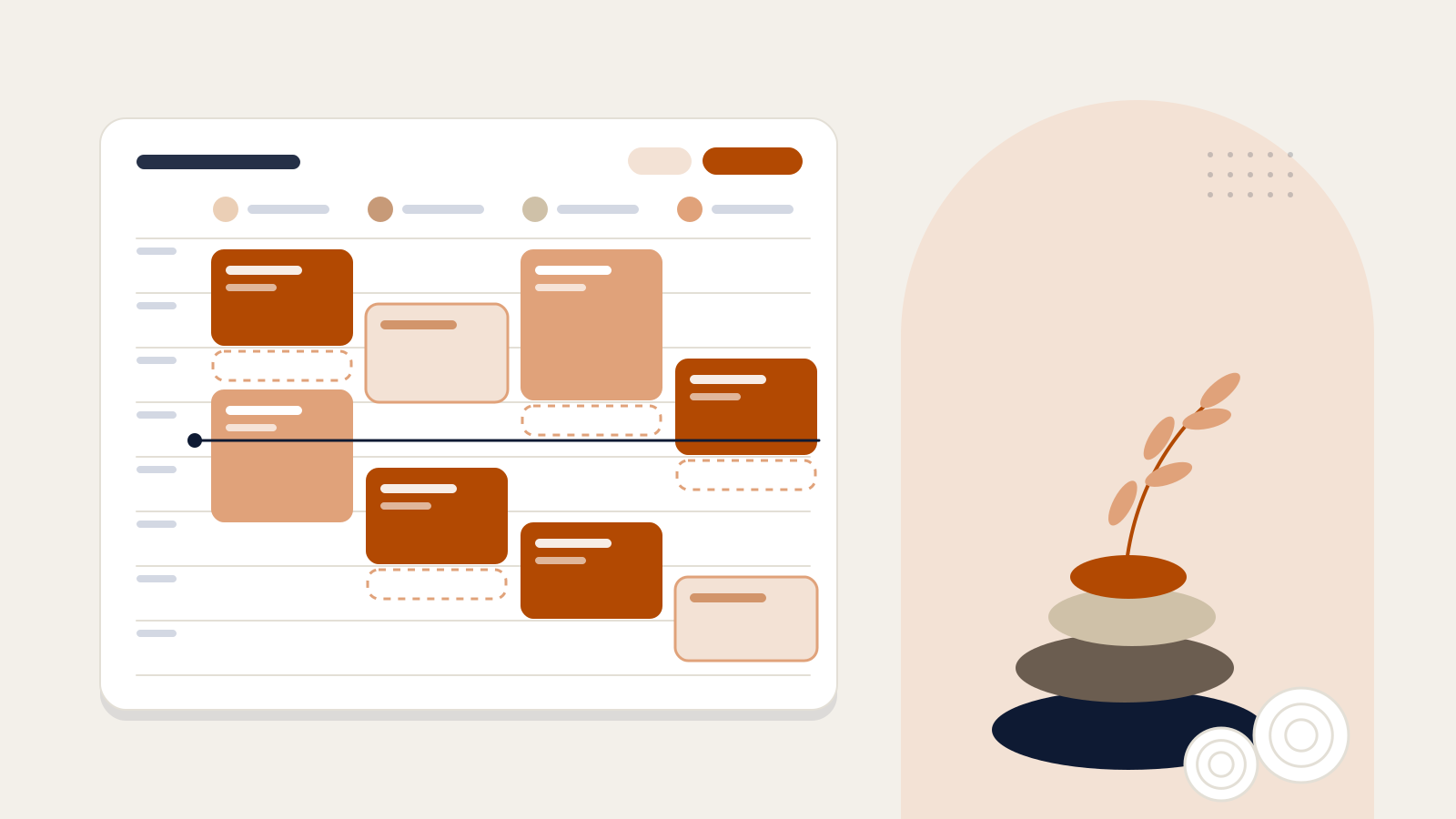
Horecas Wellness is booking and scheduling software for hotel spas. It checks therapist skills and shifts, room availability and timing together, so your team works from one shared calendar for the day.
CalendarToday · Thursday
Therapist utilisation 54%Illustrative screen · Sample data
MassageSkin careHammamReflexologyAwaiting approvalCompletedOff shift
Swipe sideways for more columns
Cards are coloured by treatment type and show the time, length, room and the guest’s room number. Switch the view between therapists and rooms. The staff screens are in Turkish; they are shown in English here so you can follow along.
Spa bookings for the sample day
- Selin (10:00–19:00): 10:00–11:00 Aromatherapy massage, Lavanta, Room 214, Completed; 11:30–12:30 Swedish massage, Lavanta, Room 305, Completed; 13:00–14:00 Couples massage, Sedir, Room 118, Completed; 15:00–16:30 Deep tissue massage, Lavanta, Room 402, Confirmed; 17:15–18:15 Aromatherapy massage, Lavanta, Room 226, Awaiting approval
- Mert (11:00–20:00): 13:00–14:00 Couples massage, Sedir, Room 118, Completed; 11:00–11:45 Scrub and foam, Hammam, Room 131, Completed; 14:30–16:00 Deep tissue massage, Sedir, Room 309, Confirmed; 16:30–17:15 Scrub and foam, Hammam, Room 220, Confirmed; 18:00–19:00 Swedish massage, Sedir, Room 415, Awaiting approval
- Deniz (09:00–17:00): 09:30–10:20 Classic facial, Defne, Room 207, Completed; 11:00–11:50 Classic facial, Defne, Room 312, Completed; 12:30–13:15 Foot reflexology, Defne, Room 124, Completed; 14:00–15:00 Hydrating skin treatment, Defne, Room 408, In session; 15:30–16:15 Foot reflexology, Defne, Room 216, Confirmed
- Elif (10:00–18:00): 10:00–10:45 Scrub and foam, Hammam, Room 303, Completed; 11:00–11:45 Foot reflexology, Sedir, Room 119, Completed; 12:30–13:15 Scrub and foam, Hammam, Room 410, Completed; 14:30–15:15 Scrub and foam, Hammam, Room 228, Confirmed; 16:30–17:15 Foot reflexology, Defne, Room 317, Confirmed
Booking flow
From request to confirmed appointment
Requests come in by QR code, on WhatsApp or at the front desk. Wellness finds a suitable therapist and room; once the team approves, the appointment is fixed in the calendar.
The therapist and room are held while the booking awaits approval. When the team approves, the appointment is confirmed and the guest is informed.
Horecas WellnessIllustrative screen · Sample data
Mert · Friday
12:0013:0014:0015:0016:0017:00
Scrub and foam · 12:00–12:45Swedish massage13:30–14:30 · LavantaAromatherapy massageConfirmed16:00–17:00 · Lavanta
Booking details
- Time
- Friday 16:00–17:00
- Therapist · Room
- Mert · Lavanta
- Guest
- Room 512 · 1 guest
- Source
- Hold
- Therapist and room held for 120 min
- Decide by
- Friday 15:00
Confirmed — guest notified on WhatsApp.
No therapist or room is booked twice for the same time
A free therapist does not mean the session can happen at that time. Before offering a slot, Wellness checks three things together.
- Therapist
Qualified for this treatment and on shift, with no other session, leave or block at that time?
- Room
Can the treatment be done in this room, is it under maintenance, is there turnover time after the previous session?
- Pending requests
While a request awaits approval, its therapist and room are held for a set time and no other request can take them.
Pick a time
Aromatherapy massage · 60 min · Friday
Times on Friday between 13:00 and 19:30. Available: 13:00, 14:30, 16:00, 16:30, 17:00, 18:30, 19:00. Other times have no therapist or room, or fall outside opening hours. 16:00 is selected; the session ends at 17:00, followed by turnover time until 17:15.
Shifts and specialities live in the calendar
Each therapist’s treatments, weekly shifts, leave and blocks are kept on their profile. The calendar only offers sessions that can really be delivered.
Weekly schedule
Illustrative screen · Sample data| Therapist and speciality | Monday | Tuesday | Wednesday | Thursday | Friday | Saturday | Sunday |
|---|---|---|---|---|---|---|---|
| Selin — Massage · Aromatherapy · Couples | 10:00–19:00 | 10:00–19:00 | 10:00–19:00 | 10:00–19:00 | 11:00–20:00 | 12:00–20:00 | Leave |
| Mert — Massage · Aromatherapy · Deep tissue · Hammam | 11:00–20:00 | 11:00–20:00 | Leave | 11:00–20:00 | 11:00–20:00 | 11:00–20:00 | 11:00–20:00 |
| Deniz — Skin care · Reflexology | Leave | 09:00–17:00 | 09:00–17:00 | 09:00–17:00 | 09:00–15:00 | 10:00–16:00 | 10:00–16:00 |
| Elif — Hammam and scrub · Reflexology | Leave | 10:00–18:00 | 10:00–18:00 | 10:00–18:00 | 10:00–18:00 | 10:00–18:00 | 10:00–18:00 |
- Therapists see their own schedule in the calendar, but not guests’ phone numbers or notes.
- Guests can state a preference for the therapist’s gender: no preference, female or male.
- Times outside a shift are never offered; when needed, a manager can schedule a therapist after their shift by recording a reason.
Clash checkLeave entry · Elif · Saturday
2 sessions affected
- 11:00Scrub and foamSuggestion Mert · same time
- 14:00Foot reflexologySuggestion Deniz · same time
Entering leave does not delete existing bookings; up to three suggestions are offered for the affected sessions.
Every treatment is planned in a room that suits it
Which treatment can take place in which room, the turnover time between sessions and maintenance blocks are set once, and the calendar follows those rules.
Spa plan · 14:20
Illustrative screen · Sample data- LavantaMassage roomFreeNext 15:00
- SedirCouples roomFreeNext 14:30
- DefneTreatment roomIn sessionHydrating skin treatment · 14:00–15:00
- Hammam3 stationsFreeNext 14:30
- SaunaFacility use3 / 8 guests
- Steam roomFacility useMaintenanceBlock ends 16:00
- Rooms matched to treatments
- You choose which treatments each room can host; unsuitable rooms are never offered.
- Turnover time
- Time is added between sessions so the room can be cleaned and prepared.
- Maintenance and cleaning blocks
- A room can be closed for set hours, and no appointments are given in that window.
- Sauna and steam
- No therapist is assigned; the number of guests using the space at once is tracked.
Session formats
- Classic1 therapist · 1 guest
- Couples massage2 therapists · 2 guests
- Four hands2 therapists · 1 guest
Connected to Concierge
WhatsApp requests land with the spa team
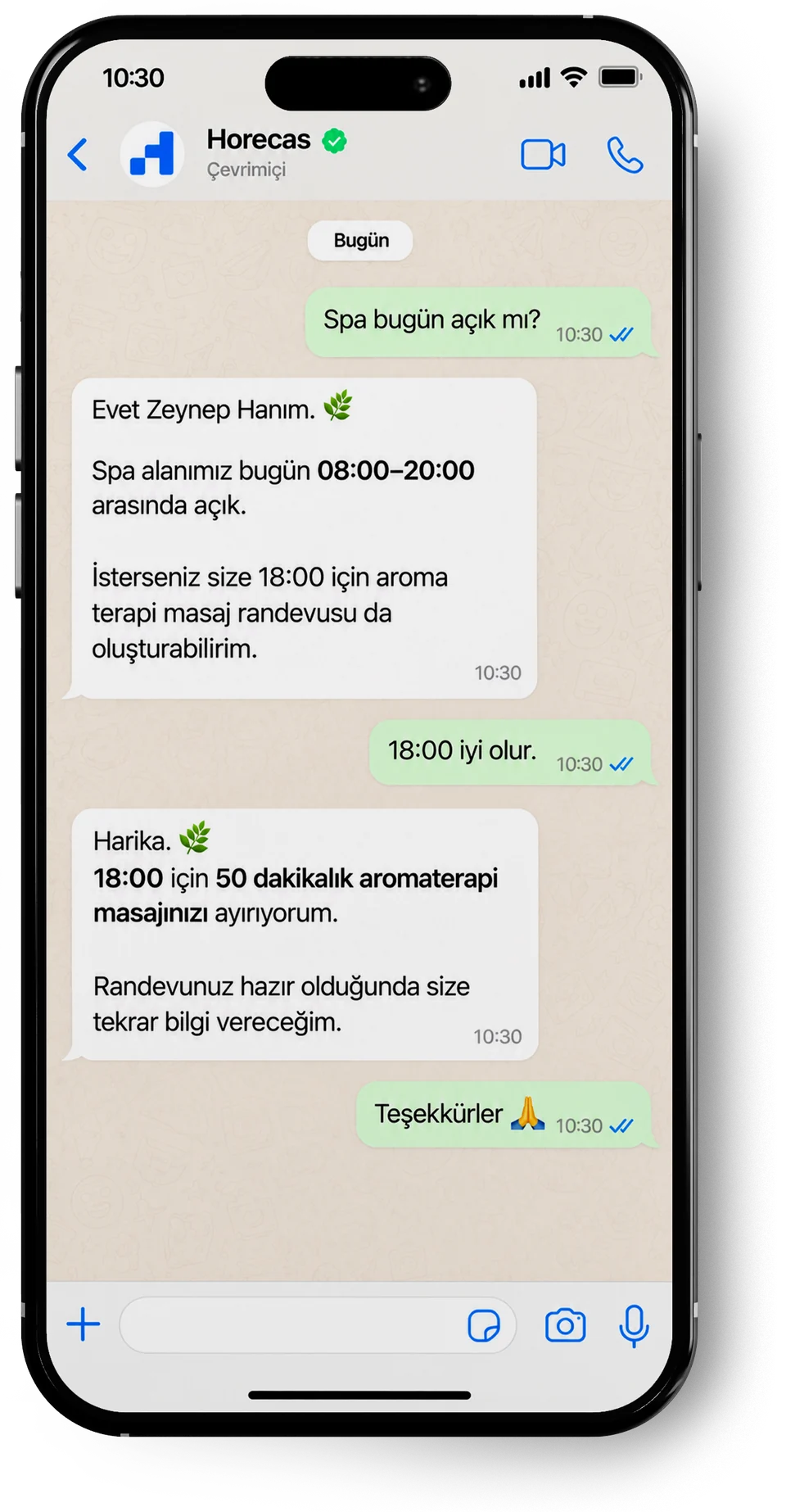
At hotels using Horecas Concierge, guests ask for a spa appointment on WhatsApp. The request joins the approval list in Wellness, and once the team approves, the guest is told in their own language.
Example conversation in Turkish
What the spa team sees
Bookings
- WhatsAppConfirmed
Today 18:00 · Aromatherapy massage
Room 506 · 1 guest
- Length
- 50 min
- Requested
- 10:30
- Decide by
- Today 17:00
Confirmed — the guest is told on WhatsApp.
- Today 17:15Aromatherapy massageRoom 226 · 1 guest
- Today 18:00Swedish massageRoom 415 · 1 guest
- A booking is final only once the spa team approves it; the assistant confirms it to the guest after that.
- Change and cancellation requests land in the same list, and the existing appointment stands until the team decides.
- Messages to guests never include the therapist’s name.
A day at a glance
The day’s schedule and utilisation in one view
The day view shows bookings, approvals waiting, completed sessions and the number of guests expected. The utilisation figures are an example calculated from session and shift times in the calendar.
Thursday · 14:20Sample data
- Bookings
- 19
- Awaiting approval
- 2
- Completed
- 10
- Guests expected
- 20
Last 7 days
Spa bookings per day
- 21Fri
- 27Sat
- 25Sun
- 14Mon
- 16Tue
- 15Wed
- 19Today
137 bookings in 7 days
Therapist utilisation
Session minutes ÷ shift minutes
- Selin61%330 / 540 min
- Mert56%300 / 540 min
- Deniz52%250 / 480 min
- Elif47%225 / 480 min
Team average 54% · 1105 / 2040 min
Room utilisation
Session minutes ÷ spa opening hours (09:00–20:00)
- Lavanta41%270 / 660 min
- Sedir39%255 / 660 min
- Defne45%295 / 660 min
- Hamam34%225 / 660 min
Sample data. Figures are calculated from the sample calendar on this page and do not represent your hotel’s results.
Your spa’s set-up in five steps
You set up Wellness together with the Horecas team. Once everything is defined, automatic therapist and room assignment switches on; you can also run the calendar manually.
Opening hours
The spa’s weekly opening and closing times, closed days and special dates.
Treatments
Each treatment’s guest-facing name, length, price and type.
Rooms
Which treatment takes place in which room, turnover time and blocks.
Team and profiles
Therapists’ qualifications, shifts and leave, and a personal PIN for the front-desk tablet.
Booking rules
Hold time, decision deadline, assignment rule and automatic or manual calendar.
About Horecas Wellness
We also describe the day-to-day problems in spa operations and how to solve them.
Spa and Massage OperationsWhat does Horecas Wellness cover?
It manages spa and massage bookings, therapists’ working hours and specialities, treatment rooms and the daily and weekly calendar. It takes the request, finds a suitable therapist and room, and confirms the appointment once the team approves.
Where do booking requests come from?
Three places: a time the guest picks with a QR code, a request sent on WhatsApp through Horecas Concierge, and a booking made at the front desk. They all land in the same list.
How do Wellness and Concierge work together?
Calendar, therapist and room planning run in Wellness. Guests asking for a booking on WhatsApp, and receiving approvals, changes and cancellations there, goes through Concierge; guests who book by QR code follow their booking on their own tracking page. We agree with you in the demo which products to start with.
What happens if a therapist goes on leave or a room needs maintenance?
When leave or a block is entered, the affected sessions are listed along with up to three suggestions. Existing bookings are not deleted; the team applies a suggestion or reschedules the session.
How are couples and group bookings planned?
A session can have up to two therapists: two therapists for two guests in a couples massage, or two therapists for one guest in a four-hands treatment. Groups of three or more are split into separate sessions.
Can we manage the calendar ourselves instead of automatic assignment?
Yes. Calendar management can be set to manual. The system then does not suggest times; requests arrive unassigned and the team chooses the therapist and room.
Do guests see the therapist’s name?
No. Approval, change and cancellation messages to guests never include the therapist’s name. Guests can only state a preference for the therapist’s gender.
How does the spa team use Wellness?
Manager, front desk and therapist roles are separate; approvals, team changes and rule settings are available by role. On the registered shared tablet at the front desk, each team member uses their own 4-digit PIN; therapists see their own schedule in the calendar.
On spa scheduling
Our articles are currently available in Turkish.
Otel Yönetimi ve Teknoloji2 min readIn TurkishDemo
See your spa schedule on Horecas Wellness
In a demo we talk through your treatments, therapist rota and rooms, and walk through the booking flow as it would work in your spa.
Request a Demo
or email info@horecas.com